Stoppage Report
The Stoppage Report lists every location where a vehicle stopped during the selected period, along with the stop duration and address. It is essential for understanding how time is spent between trips and verifying that stops are authorized and productive.
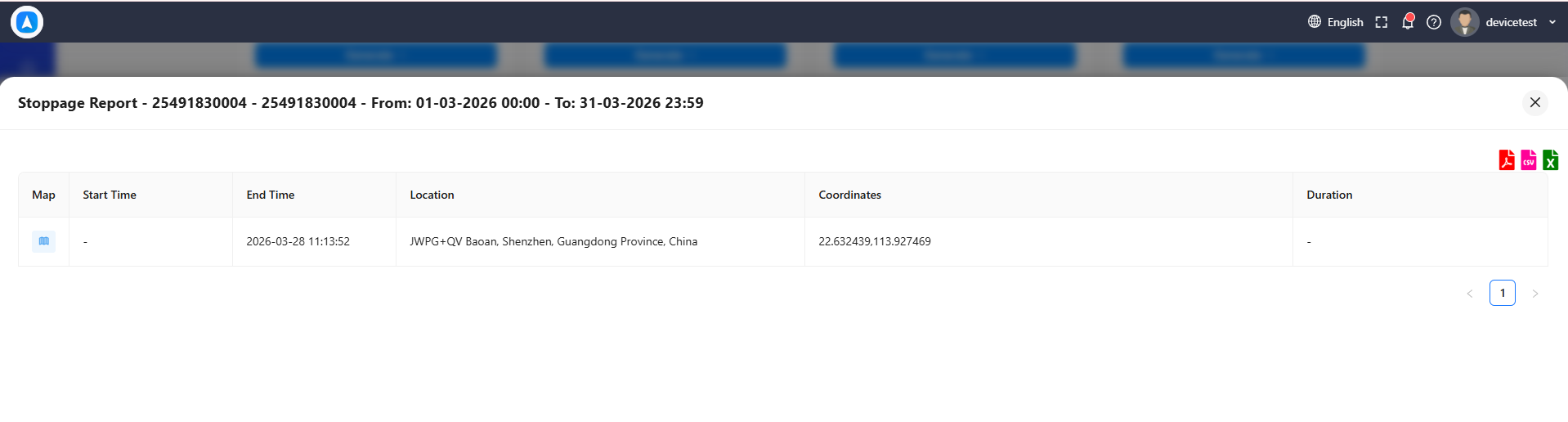
What the Report Shows
Each stop entry includes:
| Field | Description |
|---|---|
| Stop Number | Sequential number for the period |
| Start Time | When the vehicle stopped |
| End Time | When the vehicle resumed moving |
| Duration | Total time spent at this stop |
| Location | Reverse-geocoded street address |
| Coordinates | Latitude and longitude of the stop |
A summary at the bottom shows the total number of stops and total stopped time for the selected period.
Best For
- Route efficiency -- Identify unnecessary or excessive stops that add time to routes. Compare actual stops against planned routes.
- Unauthorized stop detection -- Flag stops at unexpected locations that may indicate personal use, unauthorized breaks, or deviations from assigned routes.
- Delivery verification -- Confirm that delivery vehicles stopped at each scheduled destination and how long they spent at each location.
Cross-reference stop addresses with your customer database or delivery schedule. Stops that do not match any known destination warrant further investigation.
Reading the Report
Stops are listed chronologically. Look for:
- Long stops at unknown locations -- May indicate unauthorized activity.
- Very short stops in sequence -- Could be traffic or brief errand stops.
- Repeated stops at the same address -- Indicates a regular destination (warehouse, client site, etc.).
How to Generate
- Go to Reports and select Stoppage Report.
- Choose a vehicle.
- Select a date range.
- Tap Generate.
Only stops that exceed the minimum stop duration threshold (typically 2-5 minutes) are included. Brief pauses such as traffic lights or short waits are filtered out to keep the report focused on meaningful stops.
Reverse-geocoded addresses are approximate and based on the nearest known street address. For stops in remote areas or large facilities, the displayed address may not precisely match the actual stop location. Use coordinates for exact positioning.