Reports
The Reports module provides detailed analytical reports for your fleet. Generate reports for any vehicle over any date range, view them directly in the app, and export to PDF, Excel, or CSV for sharing and record-keeping.
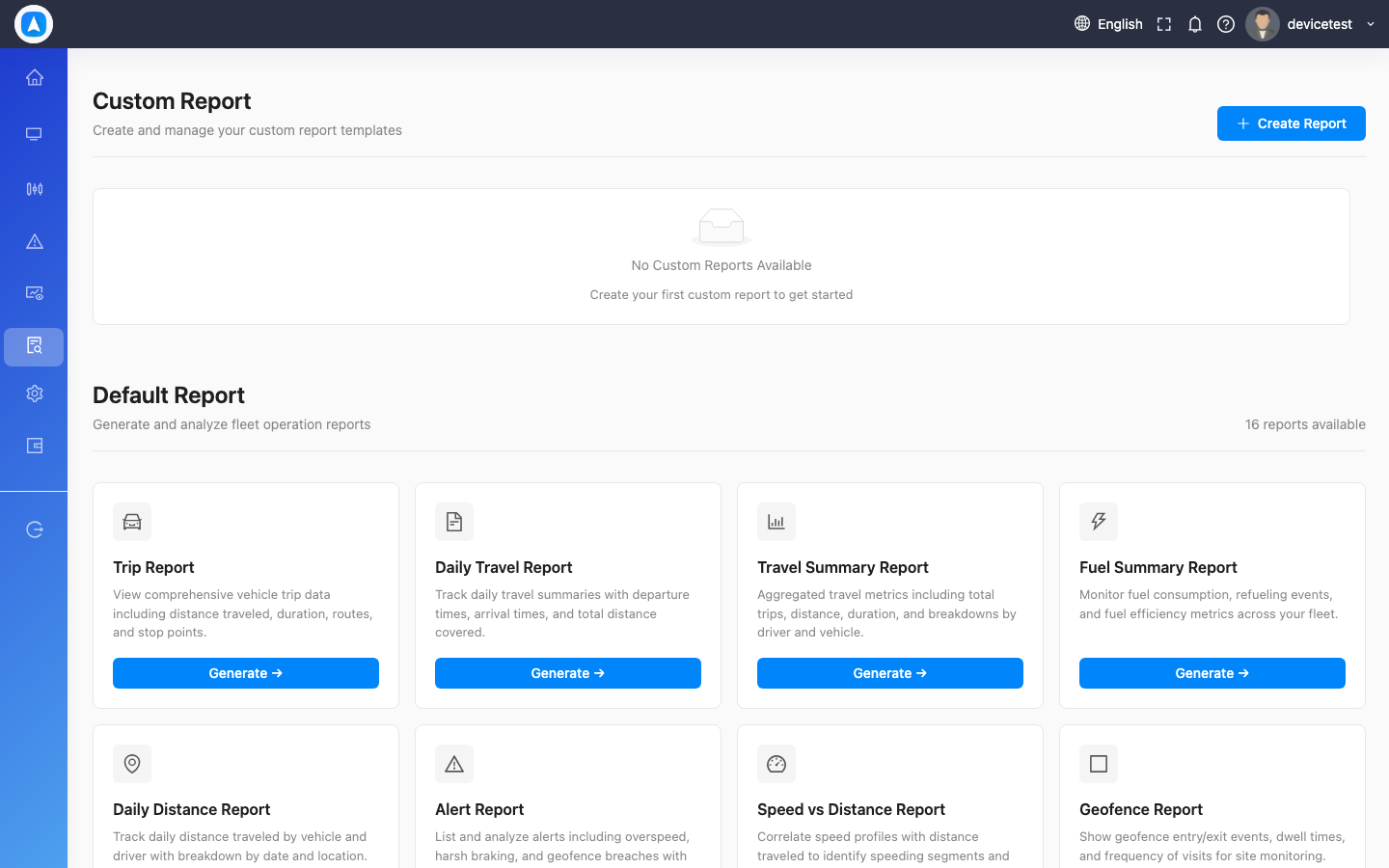
Accessing Reports
- Web App: Click Reports in the left sidebar navigation.
- Mobile App: Tap More in the bottom navigation bar, then select Reports.
Generating a Report
- Select a vehicle (or multiple vehicles, where supported).
- Choose a report type from the list.
- Set the date range using the calendar picker or quick-select buttons.
- Tap Generate to run the report.
Export Options
Every report can be exported in multiple formats:
| Format | Best For |
|---|---|
| Sharing with clients, printing, formal records | |
| Excel (.xlsx) | Further analysis, pivot tables, custom calculations |
| CSV | Data import into other systems, bulk processing |
tip
Use Excel export when you need to perform additional calculations or create custom charts from the report data.
Available Report Types
| Report | Description | Details |
|---|---|---|
| Trip Report | Every trip with start/end times, distance, and speed | Per-trip breakdown |
| Daily Travel | Day-by-day summary of travel activity | Daily aggregates |
| Travel Summary | Aggregated metrics over a period for fleet comparison | Period totals and averages |
| Fuel Summary | Fuel consumption, refueling, and drain events | Daily fuel data with charts |
| Daily Distance | Distance traveled per day | Simple mileage tracking |
| Stoppage Report | Every stop with duration and address | Stop-level detail |
| Idle Report | Engine idle events with time and location | Idle event log |
| Alert Report | Historical log of triggered alerts | Alert event history |
| Speed & Distance | Speed statistics and overspeed events | Speed analysis |
| Geofence Report | Geofence entry/exit logs with dwell times | Zone activity |
| Custom Report | Build your own report by selecting specific data fields and saving templates | Tailored analytics |
| Additional Reports | Offline, Alert Count, Time Wise, Health, Voltage, Battery (Web only) | Specialized reports |
info
Report availability may vary based on your subscription plan and the sensors installed on your GPS devices. Fuel reports, for example, require a fuel sensor.
warning
Large date ranges across many vehicles can take longer to generate. For best performance, limit reports to one vehicle and a 30-day window when possible.