GPRS Commands
Send commands to devices remotely.
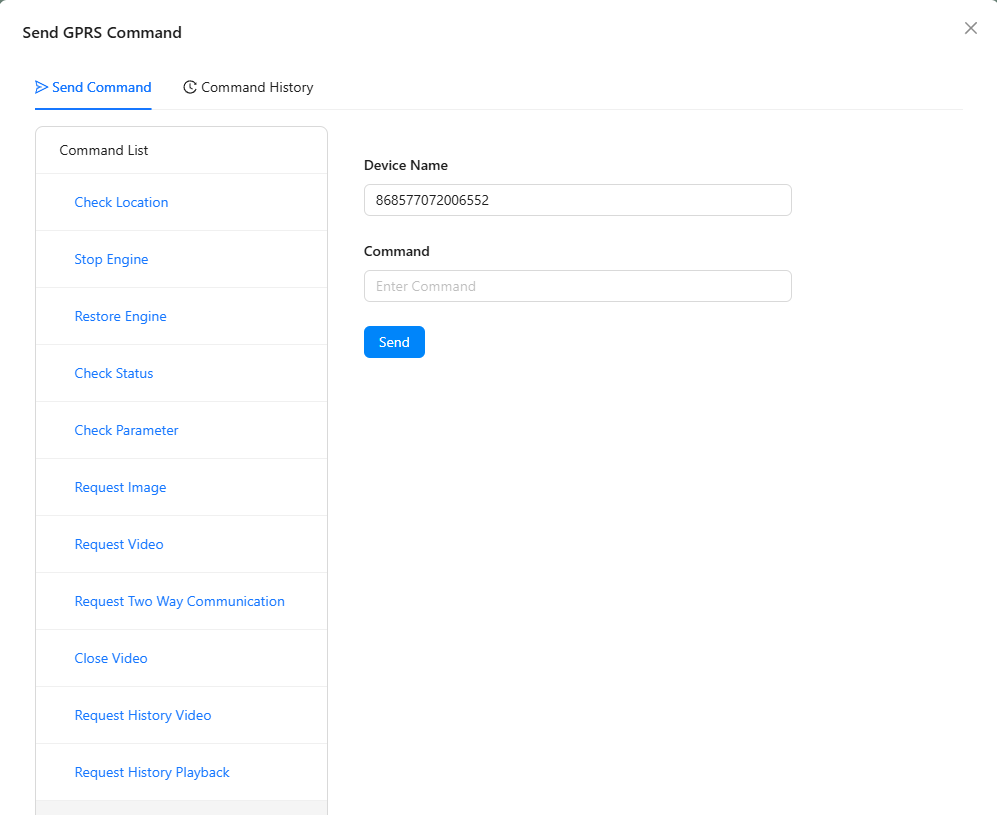
How to Send
- Select a vehicle
- Open Send GPRS Command from the vehicle action menu
- Choose a command type or enter a custom command
- Send — the response appears in command history
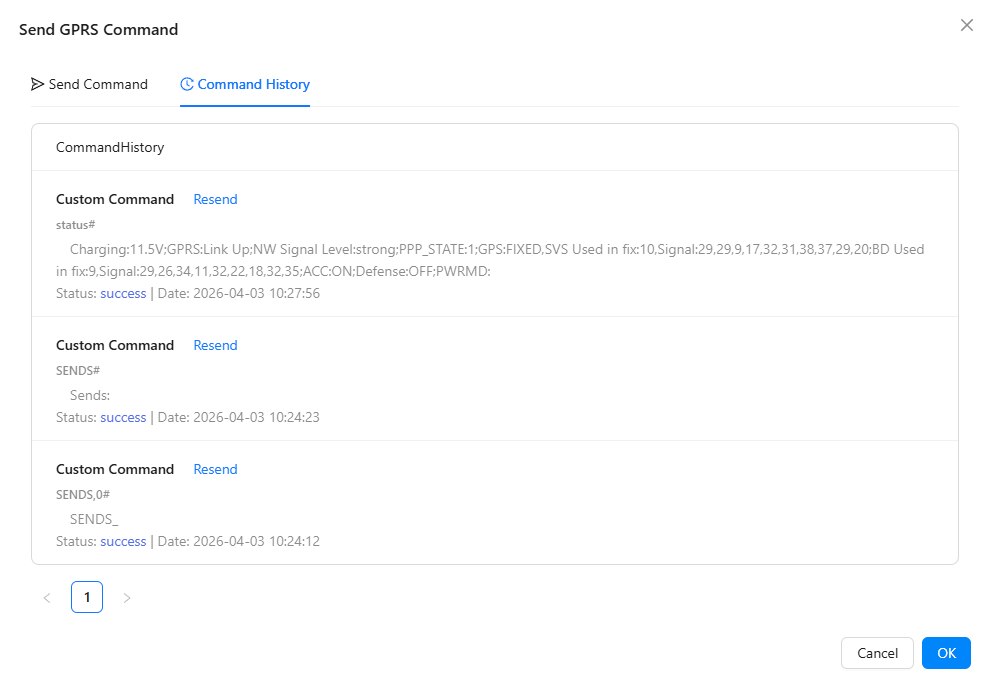
Command History
Common Commands
| Command | Description |
|---|---|
| Check Status | Get current device status and parameters |
| Set Interval | Change data reporting frequency |
| Immobilize | Remotely stop the engine |
| Mobilize | Re-enable the engine |
warning
Engine Immobilization is safety-critical. Only use when the vehicle is safely parked. Never immobilize a moving vehicle.