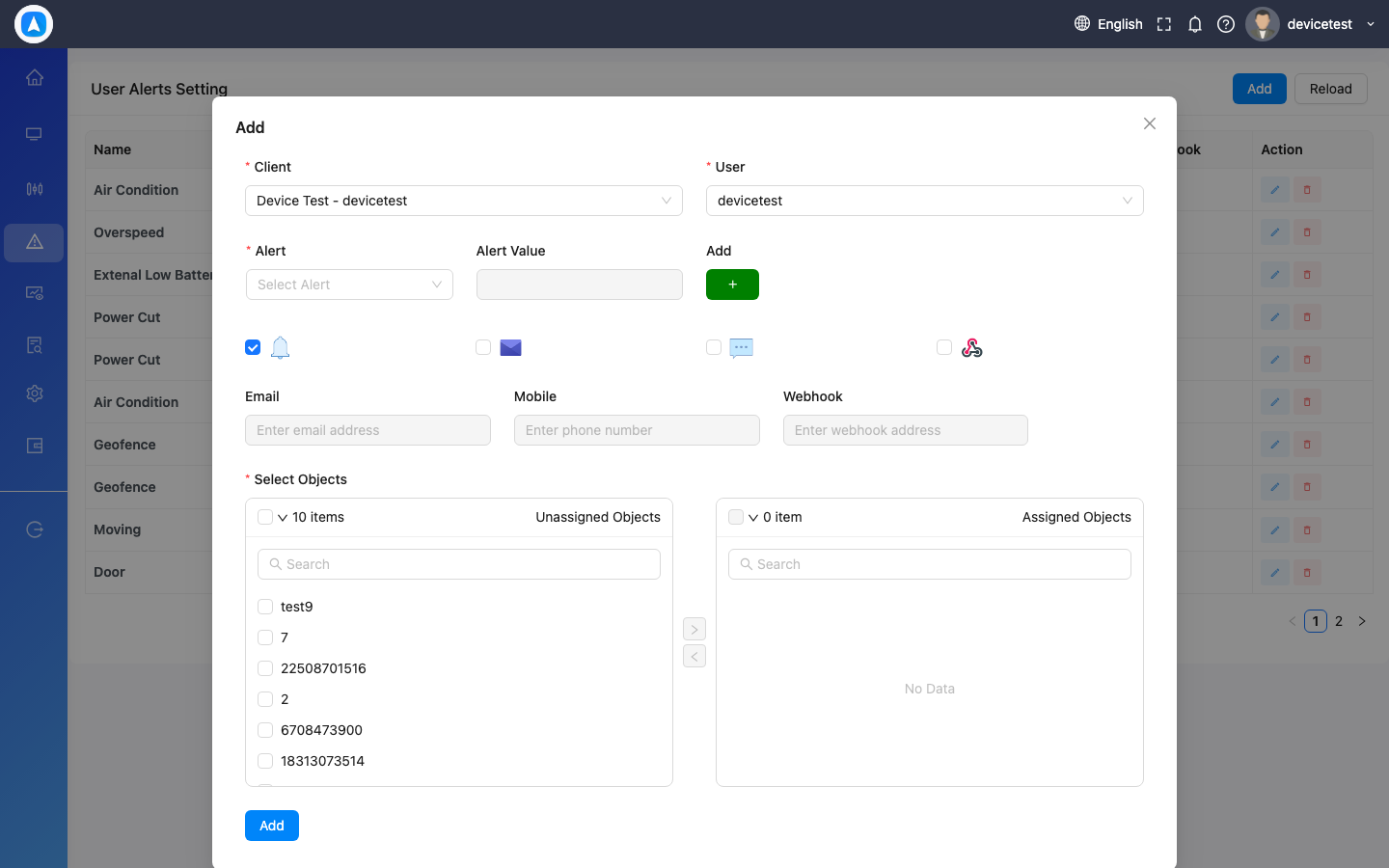
Creating Alerts
- Navigate to Alerts (Web: sidebar, Mobile: More > Alerts)
- Click/tap Add New Alert
- Select the alert type (e.g., Overspeed)
- Choose the vehicles/objects to monitor
- Set the threshold (e.g., speed limit of 120 kph)
- Choose notification method: in-app, push notification, email, or SMS
- Save the alert
tip
You can create multiple alerts for the same vehicle with different thresholds — e.g., a warning at 100 kph and a critical alert at 120 kph.
Alert Creation Form