Playback & History
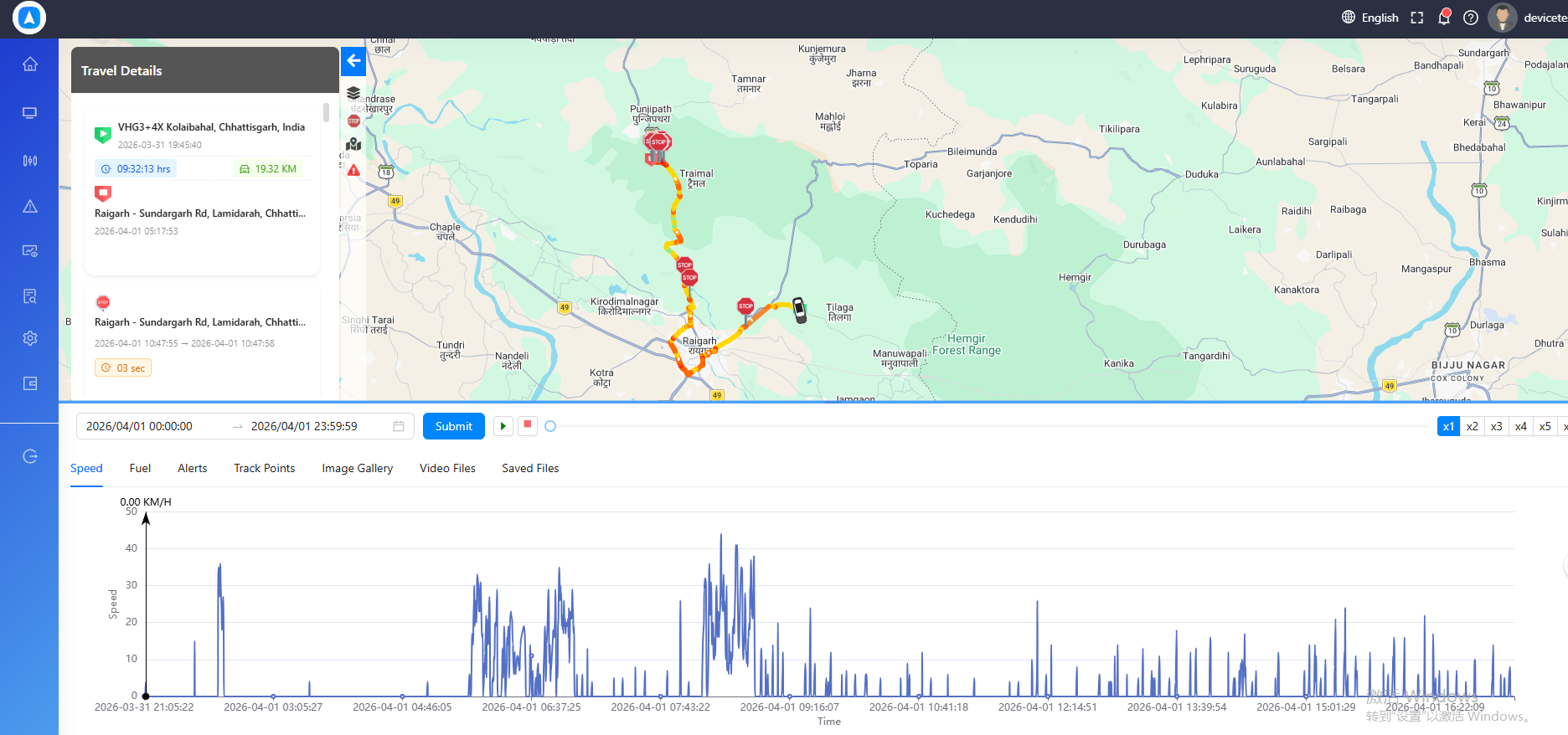
The Playback module lets you review where your vehicles have been. Replay historical routes on the map with full animation controls, and analyze trip statistics including distance, speed, stops, and driving time.
What You Can Do
- Replay any route on the map with play/pause, speed control, and a timeline scrubber
- View trip statistics including distance traveled, moving time, stopped time, and speed data
- Review parking events with exact stop locations, durations, and addresses
Sections
| Section | Description |
|---|---|
| Route Playback | Animated route replay with timeline controls and stop markers |
| Trip Statistics | Distance, duration, speed metrics, and parking event details |
info
Playback data is available for the retention period configured on your account. Contact your administrator if you need access to older historical data.
Getting Started
- Select a vehicle from the map or object list.
- Tap or click Playback from the quick actions.
- Choose a date range and press Play to begin the route replay.
tip
Use the quick date buttons (Today, Yesterday) for fast access to recent routes. For older data, use the calendar picker to select a custom date range.